Media Tracking Hub
Every OmniTrackr guide in one place: movie watchlists, TV progress, seasonal anime, game backlogs, albums, books, reviews, privacy, exports, and statistics.
On this page
A visual tour of the tracker
These screenshots walk through the four things you'll do most in OmniTrackr: keep a library across media types, look back at what you've finished, pick what other people can see, and share with friends if you want to. The data in them is made up, not a real member's library.
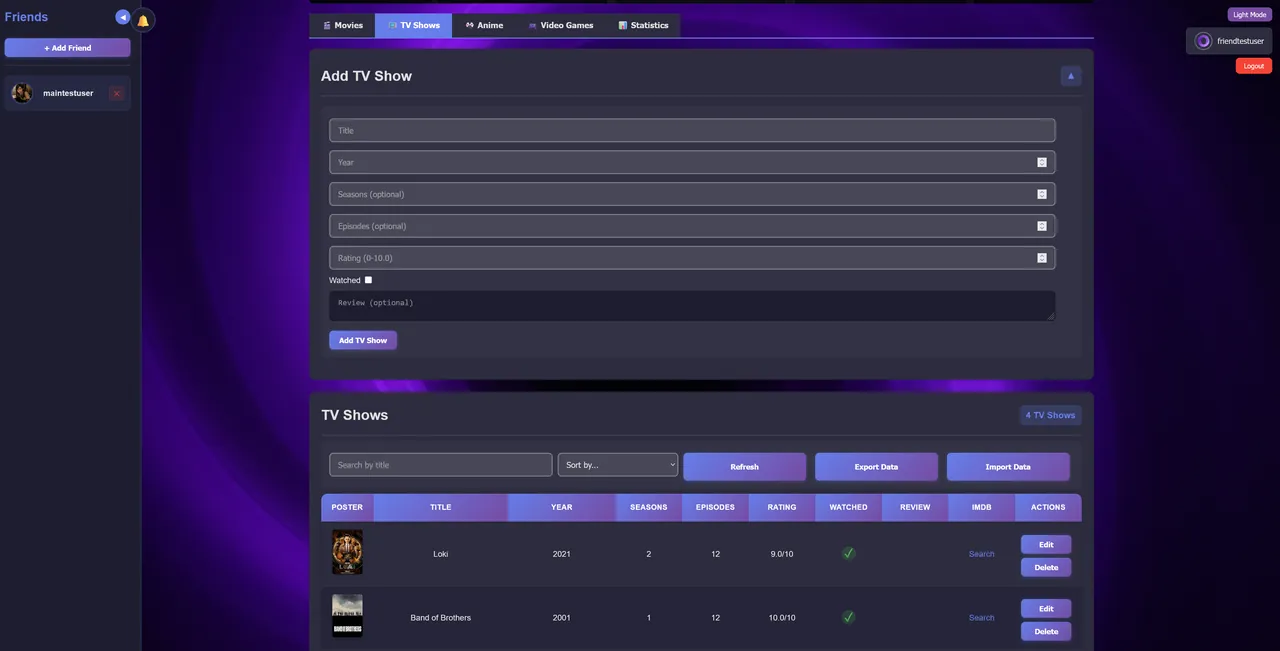
1. Keep the record together
Start with a title and the few fields you'll want later. Each category has its own details, but search, sorting, status, ratings, and notes all work across one library.
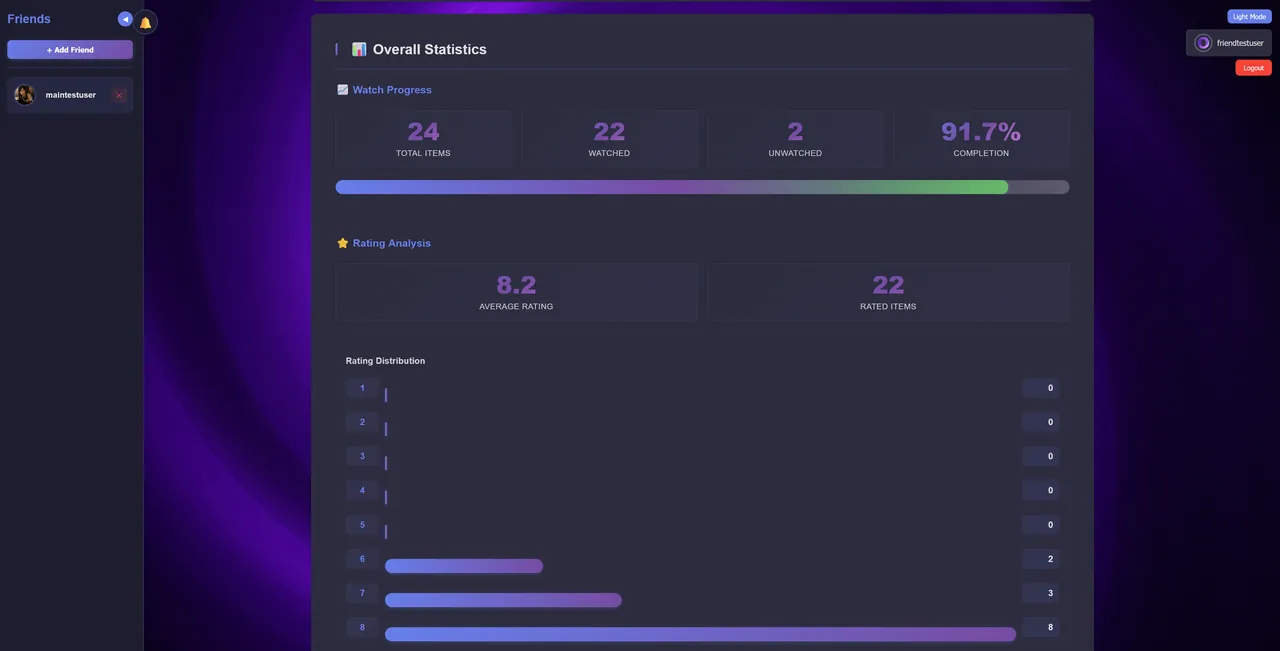
2. Look for patterns in the numbers
Once you have a few dozen entries, the statistics page starts to say something: how much you finish, how much you've rated, which creators you keep coming back to, and which categories are falling behind.
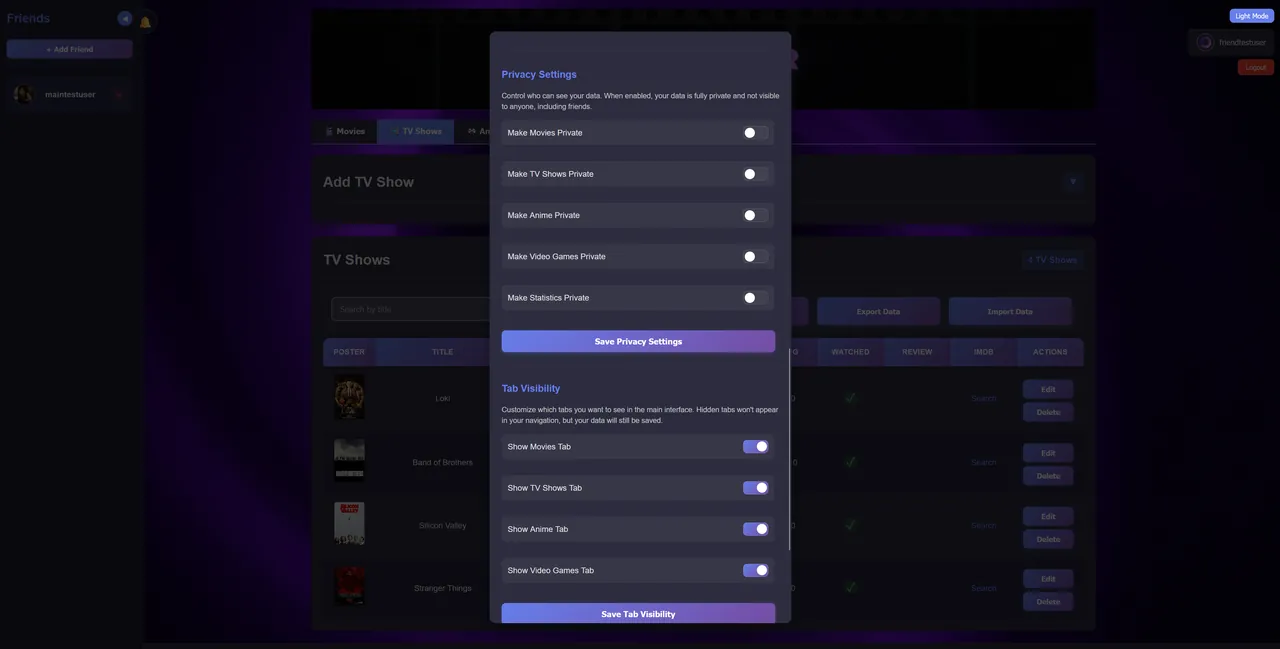
3. Choose who can see what
What you watch and read can be personal. Keep whole categories private, publish a review only when you have something to say, and remember that tracking for yourself doesn't have to be public.
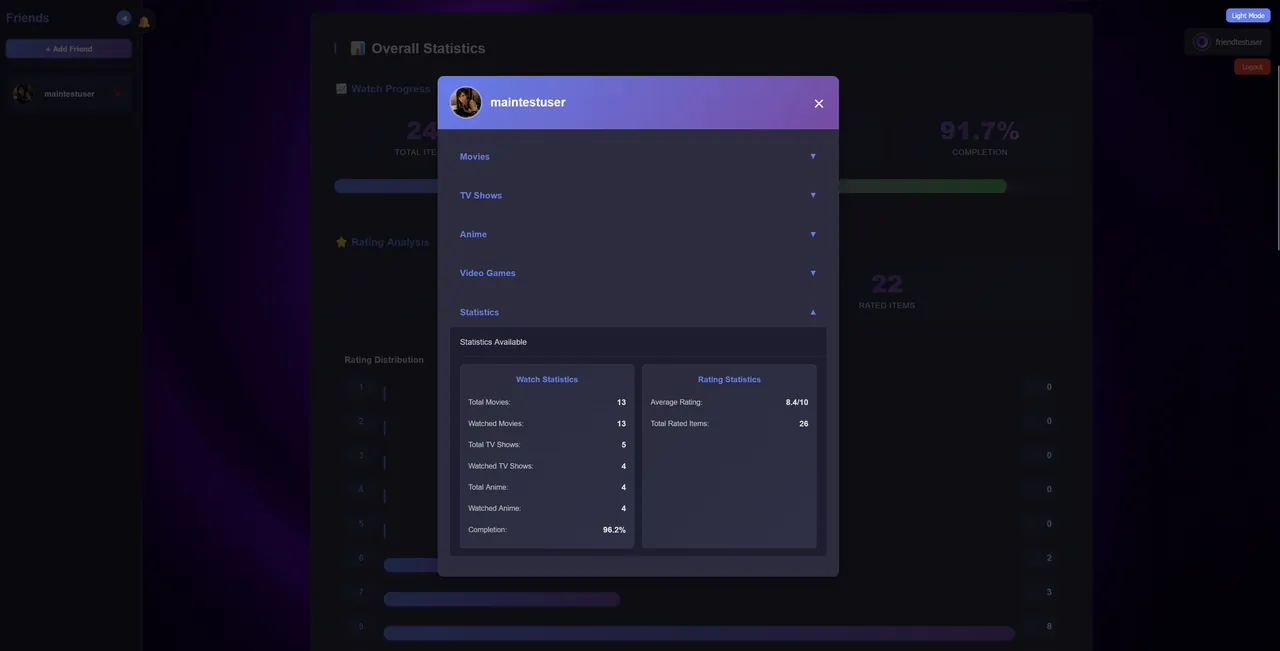
4. Add people only when they add context
Friends and public reviews are optional. They help you remember who recommended what, but your library and private notes work fine without them.
Your first ten minutes
Skip the giant import for now and start with a handful of entries. Use the new-library prompt to pick the media type you care about most, then add three records to see how the tracker fits you.
- Add one favorite and write a sentence about why it stayed with you.
- Add one unfinished title and give it an honest status instead of letting it disappear into a vague backlog.
- Add one likely next pick, then use a rating, note, or private collection after you finish it.
Create a free library when you are ready, or visit the fictional demo library to see a cross-media example first.
Picking what to start next
A long library can make it harder to choose. Keep a short Next Up queue for the titles you most want to get to, and when you just want to start something, let the private daily pick show you one unfinished option.
The two do different jobs. Your queue is the plan you made; the daily pick is a tie-breaker for when several options sound fine. It never changes a title's status, rating, note, or visibility. Open the suggestion if it fits, ask for another if it doesn't, or ignore it.
This helps most when you track several media types. A movie might suit one evening, and a book, album, or game might suit a quieter hour. With everything in one library you can weigh them against each other without opening six separate apps.
Start here
Demo Library
See a sample cross-media library before creating an account.
FAQ
Get answers about categories, privacy, public reviews, exports, friend visibility, and ads.
Use Cases
Workflows for watchlists, backlogs, reviews, stats, and friend sharing.
Compare Trackers
Understand when to use OmniTrackr instead of a spreadsheet or single-category app.
Movie Tracker
Build watchlists, save ratings, write reviews, and analyze movie history.
TV Show Tracker
Track shows, seasons, episode progress, reviews, and viewing stats.
Anime Tracker
Organize seasonal anime, watched status, episodes, ratings, and review notes.
Game Tracker
Organize game backlogs, played status, genres, ratings, and reviews.
Music Tracker
Track albums, artists, genres, listened status, ratings, and reviews.
Book Tracker
Manage reading lists, authors, genres, read status, ratings, and book notes.
Media Statistics
Use ratings, completion, review coverage, years, genres, and category insights.
Export & Import
Keep your media library portable with JSON backups and import workflows.
Tracking Templates
Use field templates, rating scales, review prompts, and backlog cleanup steps.
Review Guidelines
Write public reviews other people can use, with prompts, examples, privacy tips, and a pre-publish check.
How-To Guides
Learn account setup, tracking, reviews, privacy, friends, imports, and exports.
Worked example: turn a scattered list into a shortlist
Imagine three fictional entries: a film a friend recommended, an anime you paused halfway through, and a book you finished but never rated. Each one needs something different from you next. Lump them into one backlog and you lose track of why each is there.
The recommended film: preserve the reason
Keep completion unchecked and the rating blank. Write “Recommended for the restrained humor; save for a quiet evening.” Put it in Next Up only if you expect to pick it soon. You don't owe anyone a watch just because they recommended it.
The paused anime: preserve the stopping point
Write a precise note such as “Stopped after episode 6; return when the season is finished.” Leave Watched unchecked. Knowing where you stopped helps more than a low rating given only because you haven't finished. If you no longer want to return, remove it from the shortlist while keeping the library record and note.
The finished book: preserve the reaction
Mark Read and leave the rating blank if you cannot remember your reaction confidently. A note such as “Finished on holiday; liked the alternating viewpoints, but cannot recall the ending clearly” is more honest than a score made up to fill the field. Private notes can be incomplete; a public recommendation needs enough context for someone else to act on it.
You end up with one likely next pick, one paused show with a note on when to go back, and one finished book on record. This works in any tracker, or in a notebook. In OmniTrackr, use Edit for the note and Next up for the shortlist; the how-to guide explains the controls.
Choose a workflow
Use a category guide when one media type is the problem
If your movie watchlist is messy, start with the movie tracker guide. If seasonal anime or game backlogs are the issue, use those category pages. Each one covers the fields and habits that fit that format.
Use the statistics and export guides when the library is already growing
After a few months of tracking, you'll start wondering what the numbers say and how to keep a copy. The statistics guide explains how to read completion, rating, and review coverage. The export and import guide shows how to keep a backup file so your history doesn't depend on memory or one browser session.
- For new visitors: start with the demo library, FAQ, and use cases.
- For people comparing tools: read the tracker comparison page.
- For active users: use the category guides, statistics guide, and export guide.
A monthly library audit
Once a library gets big, a short cleanup once a month helps more than any new feature. Start by checking which items have no status, which finished items have no rating, and which favorites deserve a review while the memory is still fresh. Then remove or mark items you no longer intend to finish.
OmniTrackr's categories make this easier: each media type keeps its own fields, and they all live in one account. You can go through a movie watchlist, a seasonal anime backlog, a game backlog, and a reading list in one sitting without forcing them into the same spreadsheet columns.
A starter plan for new libraries
Try the three-record exercise above before you move a big list over. Can you find the paused item, explain why the next pick is there, and tell a finished item from an unrated one? If not, simplify the labels and notes before adding more history. There is no minimum library size you need to reach.
If your records already live in another tool, keep that original intact. Preview a small CSV sample in Import Studio, check the records it creates, and import the rest once the columns map correctly. Before retyping a long list by hand, read the switching guide for your old service and the migration guide.
If your list is organized and you just need ideas, browse curated Discover trails. Read why an item fits the theme, then choose one that suits your time and mood. You do not need to complete every item in a collection, and browsing does not require an account.
What a good entry includes
A list of titles only gets you so far. A good entry tells you what the thing is, where you are with it, and why you added it. Ratings, reviews, categories, cover art, privacy settings, and exports are all there to answer those questions.
On public pages and in public reviews, OmniTrackr asks for your own words over copied descriptions. These guides show real tracking decisions so you know what you're signing up for, and the review guidelines push you to write about your own experience instead of retelling the plot.